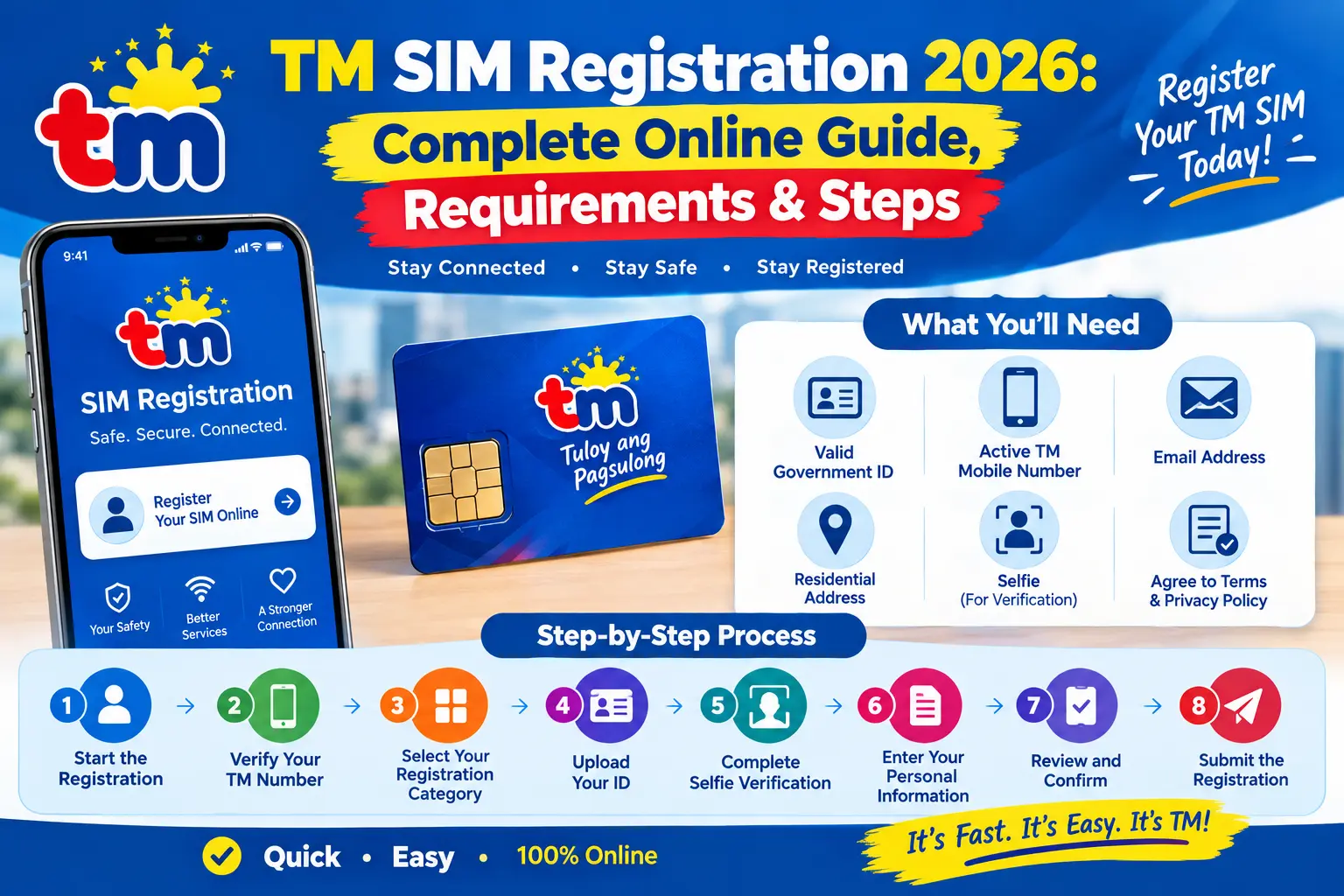
TM SIM Registration 2026: Complete Online Guide, Requirements & Steps (ARSLAN)N
Registering a TM SIM in 2026 can be done through Globe’s official SIM registration system or the GlobeOne app. Because TM operates under Globe, TM subscribers use Globe’s SIM registration channels when submitting their registration details.
Whether you have just purchased a TM SIM, need to check an existing registration, or are dealing with an ID, OTP, or verification problem, having the correct information ready can make the process much smoother. visit Home Page.
TM SIM Registration and Republic Act No. 11934
The SIM Registration Act, officially known as Republic Act No. 11934, requires SIM users to register their numbers under the applicable registration rules. Registration is also connected to penalties for certain violations, including submitting false information or fraudulent identification documents.
For TM users, registration should be completed through an authorised Globe registration channel rather than an unfamiliar website or service claiming to process the registration for a fee.
Who Needs to Register a TM SIM?
Different users can have different registration requirements. Your documents and registration process may depend on whether you are a new subscriber, a minor, a senior citizen, a PWD, a foreign national, a tourist, or a business entity.
New TM Subscribers
A newly purchased TM SIM needs to be registered before it can be activated for normal mobile services such as calls, text messages and mobile data.
You can use the Globe SIM registration portal, GlobeOne app, or an available Globe retail channel to complete the process TM SIM Registration
Before starting: Keep your active TM number, valid identification and other required information nearby. Having these ready reduces the chance of stopping halfway through the application.
TM SIM Registration for Minors
Subscribers below 18 years old have additional requirements. The SIM is registered under the name of the minor’s parent or legal guardian, and the responsible adult must provide the required consent and documentation.
The parent or guardian should make sure that the information submitted for the minor is accurate and supported by the required documents TM SIM Registration
Seniors and Persons With Disabilities
Senior citizens and persons with disabilities can register their TM SIM through the available Globe registration channels. Globe stores may provide assistance, including priority service, for customers who need help completing the process.
Bring the relevant senior citizen or PWD identification when visiting a store so staff can assist with the registration requirements.
Foreign Nationals and Tourists
Tourists have a temporary registration arrangement. According to the supplied source, a tourist SIM registration is valid for 30 days and is automatically deactivated after that period.
Tourists should prepare:
- A valid passport
- Proof of address in the Philippines
- A return ticket or another ticket showing departure from the Philippines
Other foreign nationals may need additional documents depending on their immigration or residency status. Examples mentioned in the source include an Alien Employment Permit, ACR I-Card, or school registration or identification TM SIM Registration
Companies and Other Organisations
Businesses and other juridical entities may have to provide corporate registration documents together with information identifying the authorised representative.
The representative should also have a valid government-issued ID. Additional requirements can vary according to the organisation and the registration channel being used.
Ways to Register Your TM SIM
TM subscribers have several ways to complete registration. The online portal is a convenient choice for people who have the necessary documents and a reliable internet connection.
You can also use GlobeOne or visit a Globe retail store for assistance.
Register TM SIM Through the Online Portal
The online method can usually be completed within a few minutes when your identification and personal information are already prepared.
For a smoother experience, use a modern browser such as Chrome or Firefox and make sure you are using the official Globe registration website.
Start the Registration
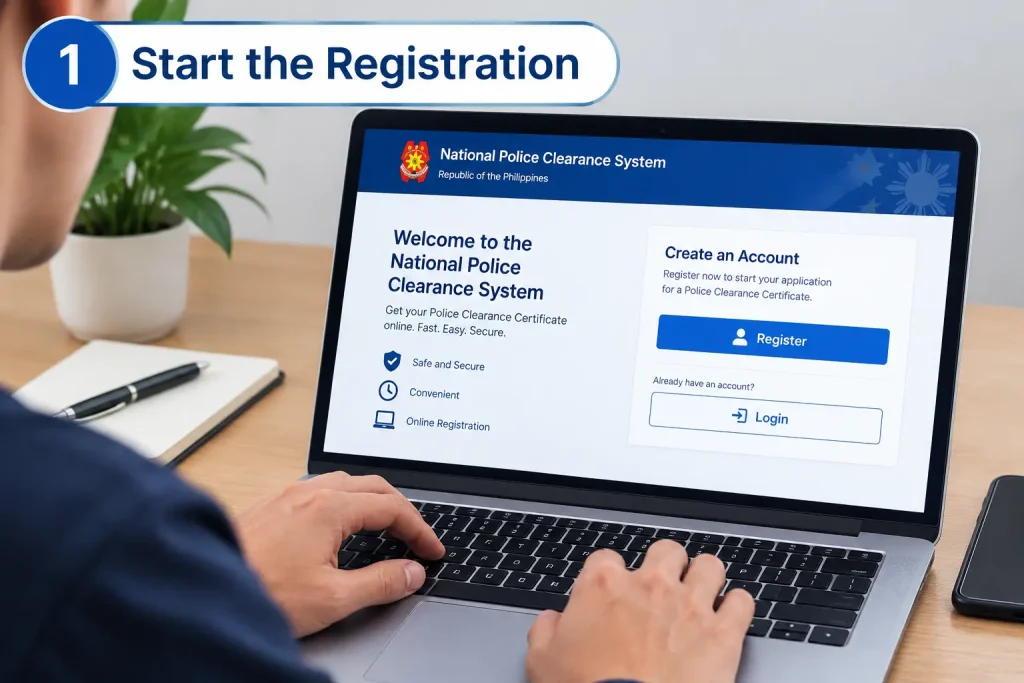
Open the official Globe SIM registration portal in your browser. The registration page also provides a QR-code option for users who want to continue from a mobile phone.
Read the instructions displayed on the registration page and select Continue when you are ready TM SIM Registration
Verify Your TM Number
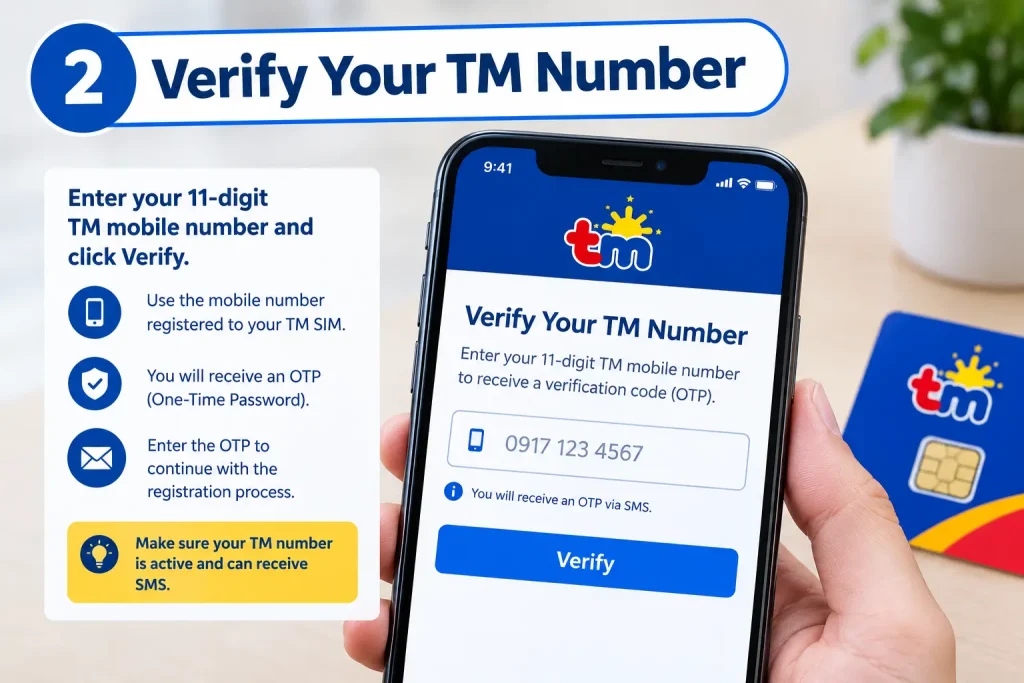
Enter your active TM mobile number. Confirm the required declaration and select Request PIN.
A one-time password (OTP) will be sent by SMS to the number you entered. Wait for the verification message rather than repeatedly requesting new codes within a short period.
Once the OTP arrives, enter it exactly as shown and continue.
Select Your Registration Category
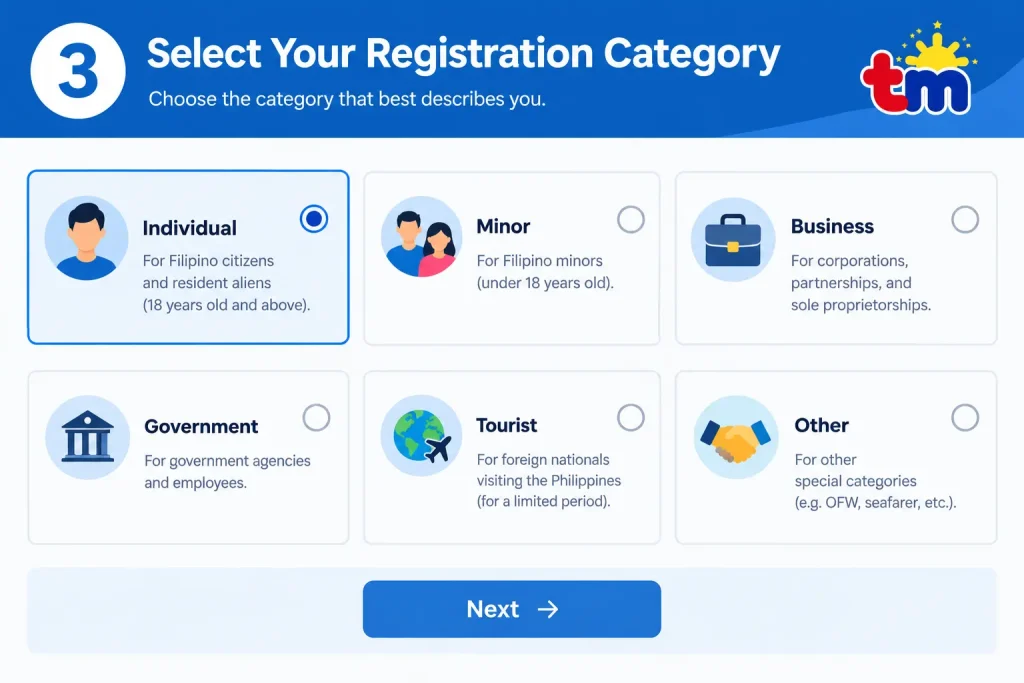
After your mobile number has been verified, choose the appropriate registration category. For an individual Filipino SIM owner, select the relevant Filipino SIM owner option and proceed.
Your selected category determines the information and documents requested during the following stages.
Upload Your ID
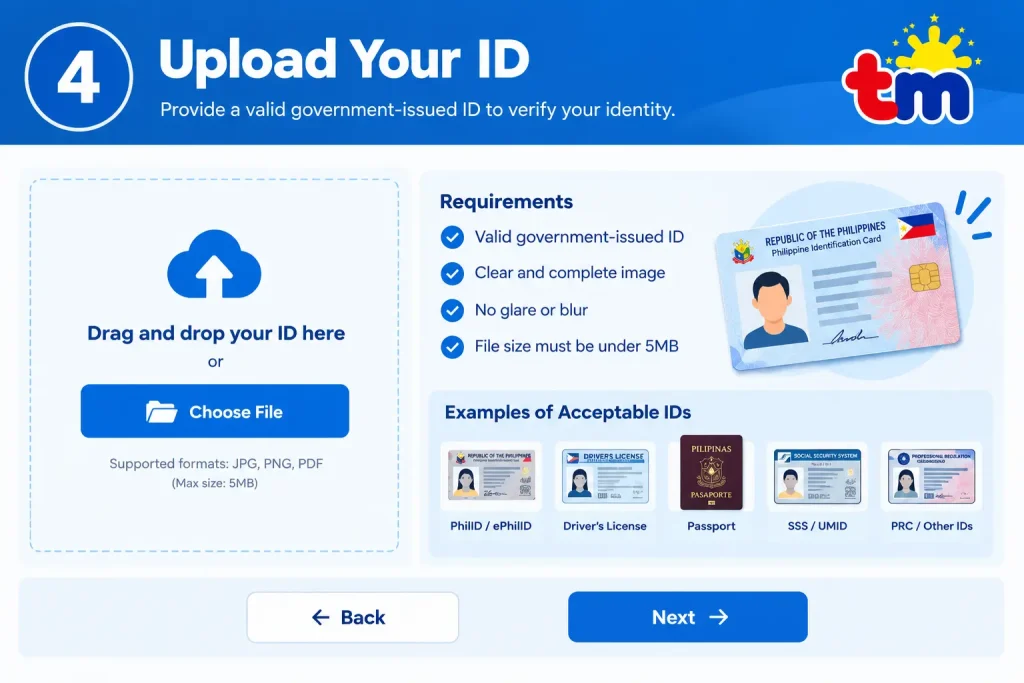
Prepare a clear image of your valid government-issued identification document TM SIM Registration
Make sure the document is:
- Fully visible
- Readable
- Free from excessive glare
- Free from blur
- Unedited
- Consistent with the information you enter
If the portal asks for both sides of the ID, scan or photograph the front and back as instructed.
Complete Selfie Verification
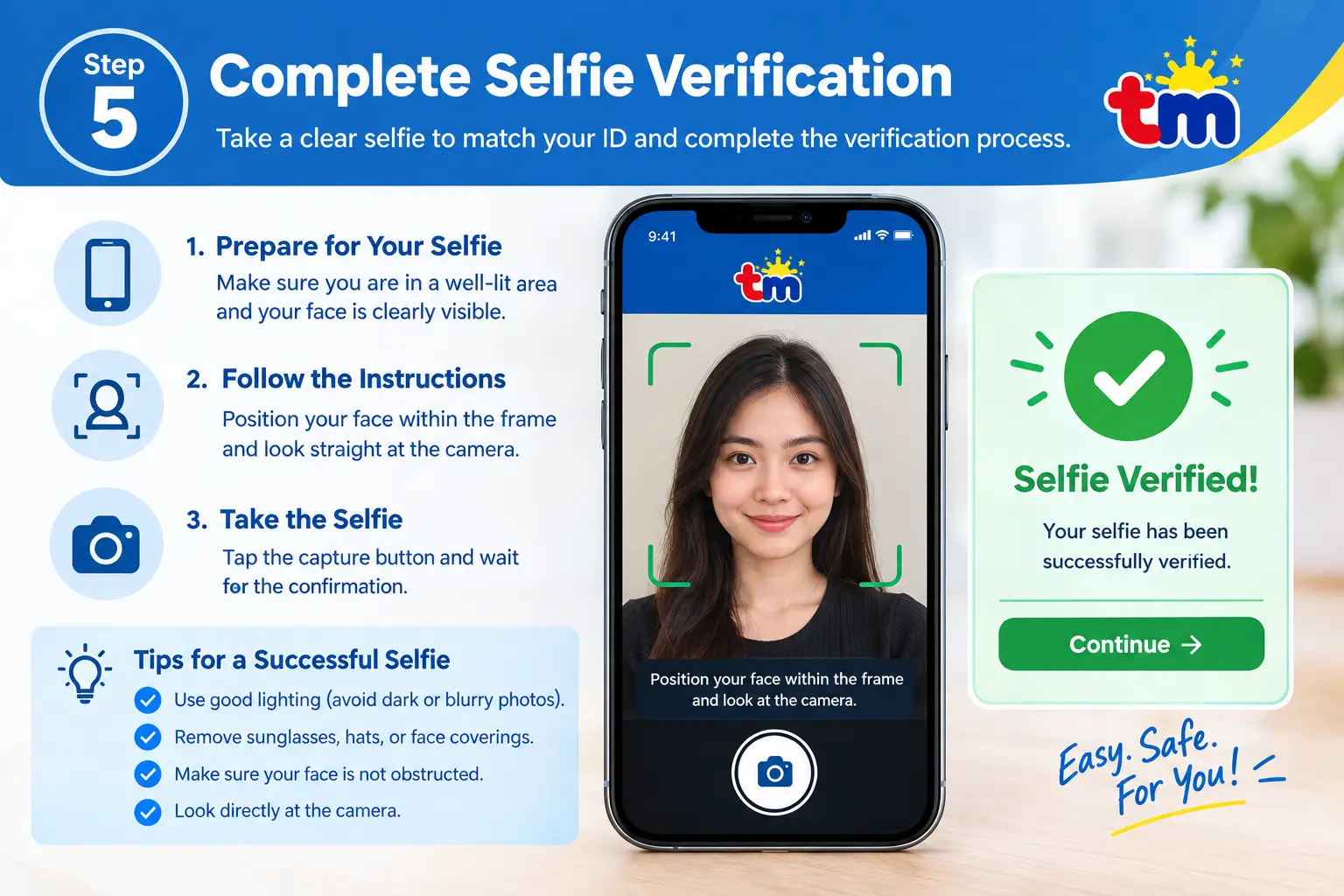
The system may ask you to complete a live selfie verification.
Use the camera provided by the registration system and follow the on-screen instructions. Good lighting helps the camera capture your face clearly.
Avoid filters and anything that could obscure your facial features.
Enter Your Personal Information
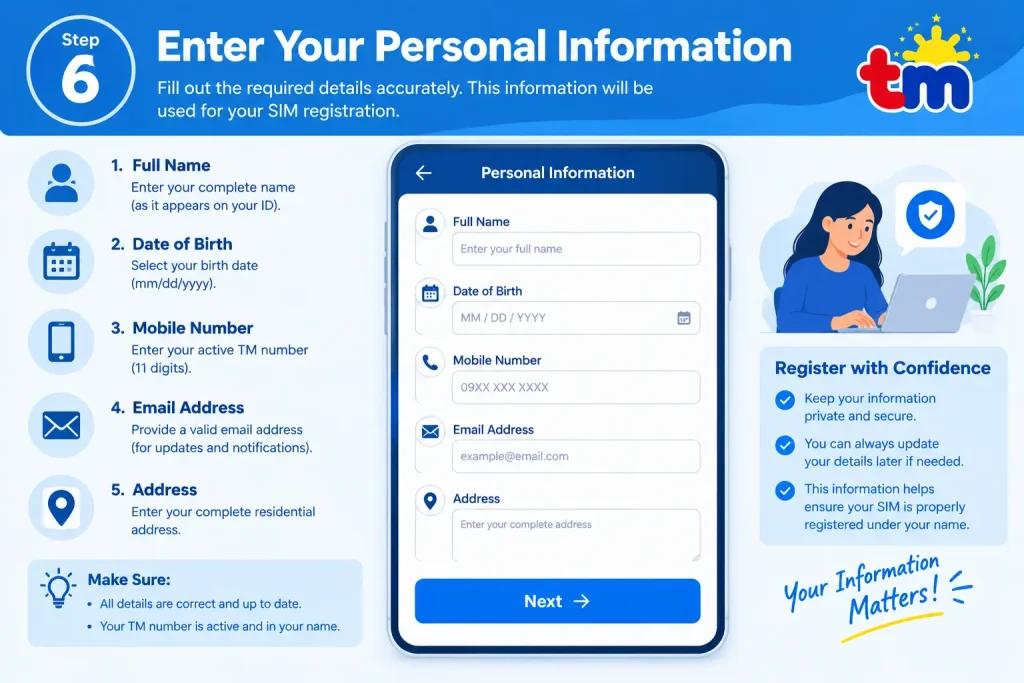
Provide the requested personal and address information. Check every field before moving forward.
Your name, birth date and other identifying information should correspond with your submitted identification.
A small spelling difference can create verification problems, so review the information carefully.
Review and Confirm
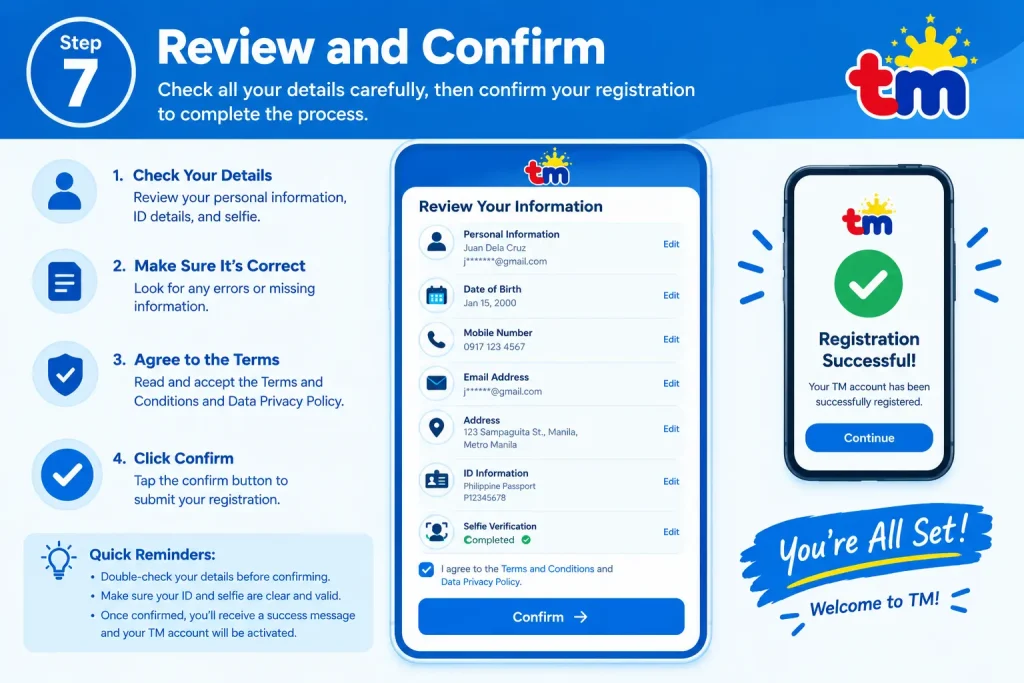
Before submitting the registration, review the summary displayed by the system.
Check your:
- TM mobile number
- Name
- Birth information
- Address
- Registration category
- Identification details
When everything is correct, accept the required declaration and confirm the registration OF TM SIM Registration
Submit the Registration
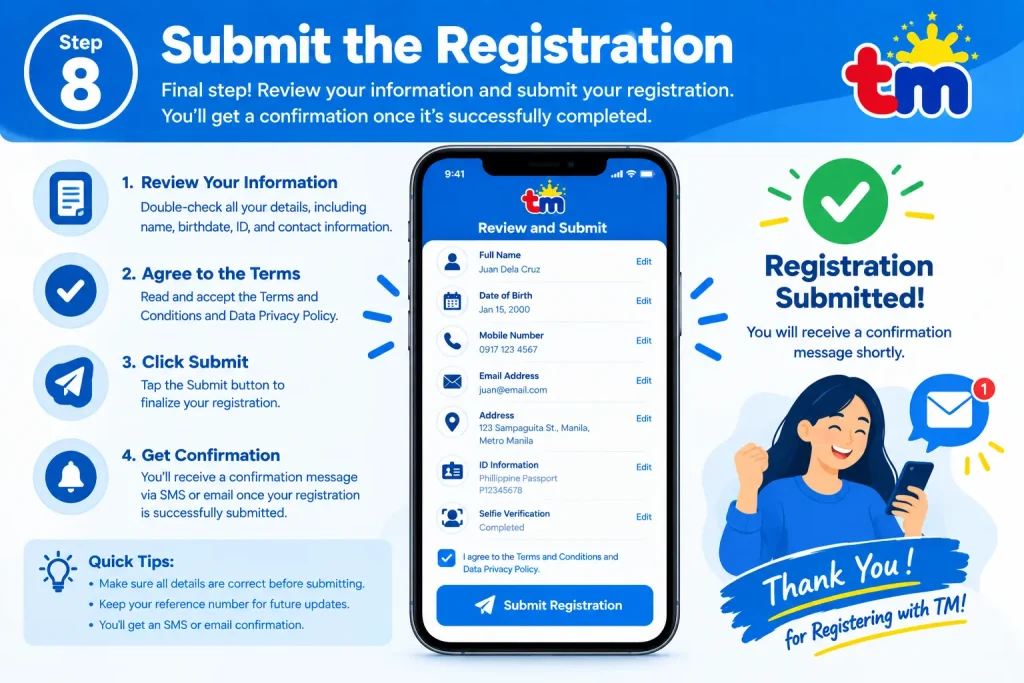
Submit the completed form and allow the system to process your information.
After successful registration, a confirmation message should be provided together with a reference number. Keep this number somewhere safe, such as in a secure note or screenshot, because it may be useful if you later need assistance.
Security reminder: Use the official Globe registration channel and be cautious of websites or individuals asking for unnecessary registration fees or personal information.
TM SIM Registration Through GlobeOne
GlobeOne provides another mobile-based option for TM subscribers.
You need an internet connection and a compatible device to access the application and submit your registration information.
The GlobeOne Process
First, install the GlobeOne app through the relevant app store.
Next, sign in to an existing account or create an account using the available Globe or TM credentials.
Open the registration section and begin the TM SIM registration process.
Enter your TM number and request the OTP. Once the code arrives by SMS, enter it to verify the number.
The application will then ask for personal and address information. Enter the details carefully and make sure they correspond with your identification document.
Upload a clear image of your valid government-issued ID and complete the requested selfie verification.
Before submitting, check the information one more time. When the details are correct, submit the registration and wait for processing.
Once registration is successful, save the reference number displayed by the app.
If GlobeOne stops working: Updating the application or clearing its cache may help with some technical problems. If the issue continues, trying another device or using the online portal may be useful.
Registering a TM SIM at a Globe Store
Customers who prefer face-to-face assistance can visit a Globe store.
Bring your TM SIM and valid government-issued identification. A Globe representative can guide you through the registration process and explain which documents are needed for your particular situation.
This option can be especially useful when you have difficulty uploading documents, completing verification, or resolving an existing registration problem TM SIM Registration
TM SIM Registration Preparation Checklist
A little preparation can prevent unnecessary delays.
Before beginning, make sure you have:
- An active TM SIM
- A compatible smartphone or device
- Reliable Wi-Fi or mobile data
- A valid government-issued ID
- A clear selfie when required
- Accurate personal information
- Your current address details
- Enough device storage for the application and uploads
Take your ID photograph in good lighting. Your document should be sharp enough for all identifying information to be read clearly.
If the registration system specifies a file-size limit, make sure your images remain within that limit.
Security Tips for TM Subscribers
Protecting your registration information is just as important as completing the registration itself.
Never give your OTP to another person. Treat your registration reference number as account-related information and avoid posting it publicly.
Only use the official Globe registration portal or GlobeOne app. Be particularly careful with messages or websites that ask for payment in exchange for SIM registration.
Other useful security measures include enabling two-factor authentication where available, reporting suspicious messages through the appropriate Globe support channel, and keeping your SIM PIN enabled.
How to Correct TM SIM Registration Details
If you discover that information in your registration is incorrect, use the available Globe support or registration channels to request an update.
The supplied process includes:
- Open GlobeOne or the official Globe SIM registration portal.
- Verify your TM number using the required OTP.
- Review the information that needs correction.
- Update incorrect details such as your name or address.
- Provide a replacement ID or selfie if requested.
- Submit the changes.
- Keep the new reference information for your records.
For complicated corrections, Globe customer support may be required.
Common TM SIM Registration Problems
Registration does not always go through on the first attempt. Most problems involve OTP delivery, document quality, incorrect information, technical issues, or an existing registration record.
OTP Not Arriving
If the verification code does not arrive, check that the TM SIM has mobile signal and wait a few minutes before requesting another code.
Avoid making repeated OTP requests in rapid succession. If the problem continues, try again after checking your connection and SIM service.
ID or Selfie Rejected
A rejected ID or selfie can often be related to image quality or mismatched information.
Check that:
- The ID image is sharp.
- There are no heavy shadows or glare.
- Your personal information matches the ID.
- Your selfie is clear.
- You are not wearing a hat, mask or sunglasses when the system requires an unobstructed face.
- You have not applied filters to the image.
- The files comply with the current size requirements.
If the system permits another identification document, you may try a different valid primary ID.
SIM Already Registered
If the system says the TM SIM is already registered but the information is incorrect, contact Globe support or visit a Globe store.
Bring your valid identification and any registration information or reference number you have available. Globe staff can advise you on the appropriate correction process.
GlobeOne or Portal Keeps Crashing
Technical problems can sometimes be resolved by:
- Clearing the browser or app cache
- Updating GlobeOne
- Using a current version of Chrome or Firefox
- Trying another device
- Switching to a more reliable internet connection
- Trying again during a less busy period
If the issue continues, using another authorised registration channel may be appropriate.
Uploads Fail
Check the requirements displayed by the current registration system before uploading your files.
The supplied source recommends JPG or PNG for image uploads and advises checking file size, image clarity and internet connectivity.
If an upload repeatedly fails, try taking a new photograph rather than repeatedly submitting the same problematic file.
TM SIM Blocked or Registration Rejected
For a blocked or rejected SIM, contact Globe support and provide your registration reference number if you have one.
You can also visit a Globe store with your TM SIM and valid ID. For lost or disputed SIMs, additional documentation such as an affidavit may be required.
If the matter cannot be resolved through Globe, the source identifies the National Telecommunications Commission (NTC) as another official channel for consumer assistance.
TM SIM Registration Requirements
Having the correct documents ready is one of the easiest ways to avoid unnecessary registration delays.
Basic Requirements
| Requirement | What You Need | Useful Tip |
|---|---|---|
| Active TM SIM | Your 11-digit TM mobile number | Keep the SIM in your phone for OTP verification |
| Government ID | A valid government-issued ID | Use a clear, readable document |
| Selfie | A live and clear facial image when requested | Use good lighting |
| Personal details | Name, birth date, address and other requested information | Check spelling carefully |
| Digital files | Supported image/document format | Follow the portal’s current size and format limits |
IDs Mentioned for TM Registration
The supplied source lists several government-issued identification documents that may be used for registration, subject to the current Globe registration process.
These include:
- Passport
- Driver’s License
- National ID (PhilID)
- BIR/TIN ID
- UMID
- SSS ID
- PRC ID
- PhilPost Postal ID
- Voter’s ID
- PhilHealth ID
- NBI Clearance
- OWWA ID
- Senior Citizen ID
Always check the current registration interface for the documents accepted at the time you apply.
Selfie Guidelines
A clear selfie can make identity verification easier.
Use natural or sufficient lighting and keep your entire face visible. Remove hats, sunglasses or masks if the verification system requires an unobstructed view.
Do not use filters or heavy editing. If the system asks you to hold your ID beside your face, follow that instruction exactly.
Technical Requirements
For online registration, prepare a smartphone or tablet with a working camera and a stable internet connection.
The supplied source recommends keeping identification and selfie files in supported formats and within the stated file-size limit. It also recommends using an updated browser or the latest GlobeOne application.
Having some free device storage available can help when installing the app or saving photographs.
Documents and Files to Avoid
Do not submit blurry, heavily edited or expired identification documents.
Non-government identification, poor-quality scans and unsupported file formats can lead to problems. Use clear original images and follow the upload instructions displayed by the registration system.
Additional Requirements for Special Users
Some categories of TM users may need extra documentation.
Foreign Nationals and Tourists
Foreign nationals and tourists may need documentation such as a passport and visa.
Tourists should also prepare a return or departure ticket and proof of address, such as accommodation or lease documentation.
Non-tourists may need an ACR or other documents related to their status. The supplied source also notes that SIM validity for foreign users can depend on the applicable visa or registration category.
Minors
A minor’s registration is handled through a parent or legal guardian.
The source lists requirements such as:
- Guardian’s valid ID
- Child’s PSA birth certificate
- Parent or guardian participation
- School ID where applicable
Prepare the documents before starting so the registration does not have to be abandoned midway.
Seniors and PWDs
Senior citizens and PWDs can use the relevant identification documents required for registration.
Globe or TM stores may provide priority assistance and help with forms or uploads. Visiting at a less busy time may make an in-store visit easier.
Businesses and Corporations
Business registration may involve documents such as:
- SEC or DTI registration certificate
- BIR Form 2303
- Board resolution
- Valid ID of the authorised representative
For organisations managing multiple SIMs, assigning an authorised representative can make the process more organised.
How to Check Your TM SIM Registration Status
After registering, it is useful to confirm that your TM SIM registration has been successfully recorded.
The source provides several ways to check the status.
Check Through GlobeOne
Open GlobeOne and sign in using the applicable TM account information.
Complete OTP verification when requested, then look for the account or SIM status section. Review the registration information and reference number displayed by the application.
Save the confirmation for your records.
Check Through the Online Portal
Open the official Globe SIM registration portal.
Enter your TM number and complete OTP verification. The available status information can then be reviewed on the portal.
Keep the reference number from the confirmation screen.
Contact Globe/TM Support
If you cannot verify the registration yourself, contact Globe support using the applicable support channel.
Have your TM number and registration reference number available. You may need to answer verification questions before support staff can discuss your account.
Visit a Globe Store
In-person assistance is another option.
Bring your TM SIM, valid identification and registration reference number if available. Ask the representative to check your registration status and provide any additional information needed for verification.
Why TM SIM Registration Matters
Registration is required under the SIM Registration Act for users who need to maintain compliant SIM service.
A successful registration also creates a record connecting the SIM with the registered user and provides a reference number that can be useful when dealing with future account or registration concerns.
For users changing networks while retaining their number, the source also refers to TM Mobile Number Portability as a related service.
What to Do If You Lose Your Registered TM SIM
Losing a registered SIM can affect calls, text messages, mobile data and services connected to your phone number.
Act promptly and contact Globe through its current support channels so you can ask about blocking, replacement and number recovery.
Report the Lost SIM
Report a lost or stolen TM SIM as soon as possible.
Have your registered TM number and registration reference number ready if available. If the SIM was stolen, the source recommends obtaining a police blotter or other supporting documentation when required.
The exact blocking and replacement procedure should be confirmed with Globe at the time of the incident.
Request a Replacement SIM
Visit a Globe store and bring valid identification that matches your registration information.
If the SIM was stolen, bring the relevant police documentation. For a lost SIM, an affidavit of loss may be requested depending on the circumstances.
Ask the store about replacing the SIM while retaining the same mobile number.
Follow the Replacement Instructions
If Globe issues a replacement SIM associated with your existing number, follow the instructions provided by Globe regarding SIM assignment and registration.
If the replacement requires registration, complete the process through the official Globe channel.
Protect Your Number Afterwards
After recovering your number, review important services connected to it.
Useful precautions include backing up important contacts and account information, checking your SIM registration status, and keeping your replacement SIM secure.
What Happens If You Do Not Register a TM SIM?
TM users are required to comply with the applicable SIM Registration Act requirements.
An unregistered SIM may be deactivated, which can result in the loss of access to calls, texts and mobile data. Users should therefore use an authorised Globe registration channel when registration is required.
Penalties Under the SIM Registration Act
Republic Act No. 11934 provides penalties for certain violations involving SIM registration.
The supplied source identifies penalties for conduct such as using fraudulent identification documents or providing false information, including fines and possible imprisonment. It also identifies penalties applicable to telecommunications providers for specified failures and data privacy violations.
Because penalties can depend on the particular violation, users should not submit false details or fraudulent documents during registration.
If Your SIM Has Been Deactivated
If a TM SIM has been deactivated because registration was not completed within the required period, contact Globe and ask whether reactivation remains available and what current requirements apply.
Do not rely on unofficial websites or third parties claiming they can restore the SIM without verification.
Frequently Asked Questions
Final TM SIM Registration Checklist
Before you finish, confirm the following:
- Your TM number is active.
- Your identification is valid and readable.
- Your personal information matches your ID.
- Your selfie meets the verification requirements.
- Your internet connection is stable.
- You submitted the registration through an authorised Globe channel.
- You received your registration confirmation.
- You saved the reference number.
- You know how to contact Globe if a problem occurs.
Keeping your registration information accurate and your reference number secure can make future SIM-related requests much easier.