How to Borrow Load in TNT (Simple Guide)
If you are away from home because of an emergency and suddenly your TNT SIM has no balance, do not worry. You can still stay connected. This guide will help you understand how to borrow load in TNT in an easy way.
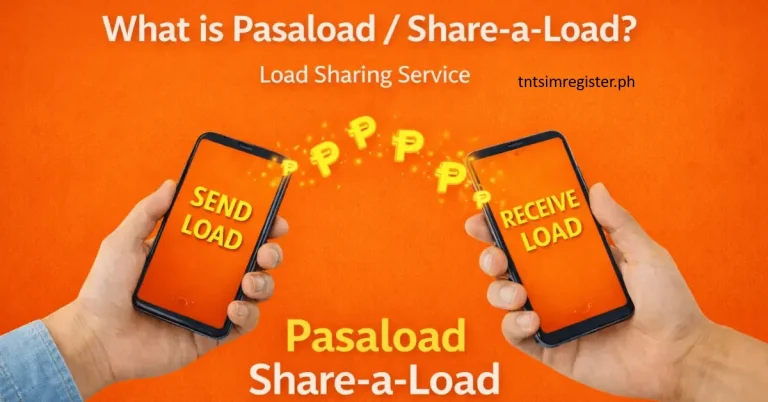
TNT gives a special service that lets users borrow load when they run out of credit. You can pay it back when you load again. This service helps you stay in touch with your family and friends during urgent situations, even when you have no money for load.
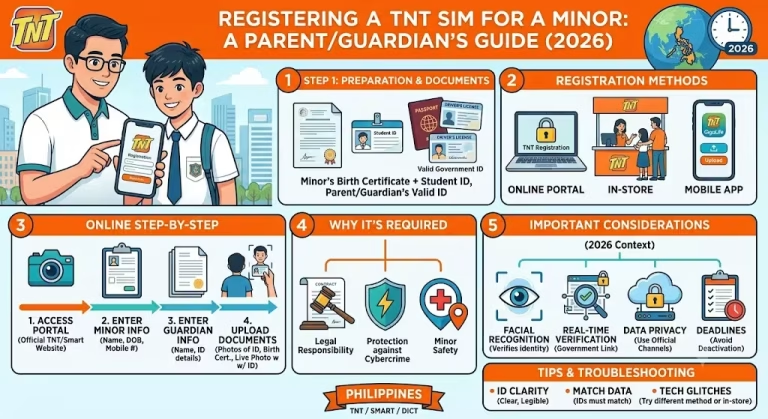
Before using this service, make sure your TNT SIM is already registered online, because SIM registration is required.
TNT Emergency Load Service
The TNT emergency load service is also called Utang Na Load. It is made for urgent needs when your balance is zero. With this service, you can still use calls, texts, or mobile data for a short time.
When you load again, the borrowed amount plus a small extra fee will be automatically taken from your balance.
This service is helpful when:
- You need to send an urgent message
- You have an important phone call
- You need internet for a short time
- You cannot buy load right away
How It Works
- You can borrow small amounts of load, text, call minutes, or data.
- The cost depends on what you borrow. For example, a few text messages may cost around ₱4, while small data access may cost about ₱5 to ₱10.
- The borrowed load is usually valid for a short time, like a few hours or one day only.
- When you recharge, the borrowed amount is automatically deducted from your new load.
How to Borrow Load in TNT (Easy Guide)
TNT gives users three simple ways to borrow load when they run out of balance. You can choose the method that is easiest for you.
1. Using USSD Code (Dial Method)
- Open your phone dial pad
- Dial 123# or 5623# and press call
- A menu will show on your screen
- Pick the load or offer you want to borrow
- Confirm your choice
- Wait for a confirmation message
2. Using SMS (Text Method)
- Open your phone’s messaging app
- Create a new message
- Type the correct keyword for the load you need
- Example: SAKLOLOAD10 (for about ₱10 load or offer)
- Send it to 7676
- Wait for a reply message to confirm your request
This method is very easy, but you must use the correct keyword.
3. Using Facebook App (Data Offers)
- Open the Facebook app
- Tap on Buy Data or Get Data option
- Choose an “Utang na Load” offer
- Confirm your selection
- Wait for confirmation message
This method is mostly for internet data promos.
Common Borrow Options
| Offer | How to Get | Price | Validity |
|---|---|---|---|
| 4 texts | Dial *767 | ₱4 | 1 day |
| 5 all-net SMS | Dial *7572 | ₱5 | 1 day |
| 1 call minute | Dial *7871 | ₱6.50 | 1 day |
| ₱10 load/data | Text SAKLOLOAD10 to 7676 | ₱10 | varies |
| 8MB app data | Dial *5623# | ₱5 | 6 hours |
| 100MB FB/Messenger | Facebook or *123# | ₱5 | 1 day |
| 200MB open data | Facebook or *123# | ₱10 | 1 day |
How to Pay Back Borrowed Load
When you load your TNT SIM again, the borrowed amount and any small fee will be automatically deducted.
If you want to pay early, you can:
- Type PAY and send it to 7676
- Make sure you have enough balance in your account
Important Points
- Your SIM must be active for at least 30 days to use this service
- The borrowed amount will be taken automatically after your next recharge
- You cannot borrow again if you still have an unpaid balance
- If one method does not work, try another one (SMS, USSD, or Facebook)
Need Help?
If you have any problem with TNT services, you can contact support:
- Mobile: *888
- Landline: (02) 8 888-1111
- Facebook: TNTPH
- X (Twitter): @SmartCares
FAQs
Conclusion
TNT Utang Na Load is very helpful when you run out of load but still need to stay connected. It lets you borrow load, texts, calls, or data in urgent situations. You can use simple methods like USSD codes, SMS, or Facebook options. The borrowed amount is repaid automatically on your next recharge, making it an easy and useful emergency service.