Smart SIM Registration Online & Offline in Philippines 2026
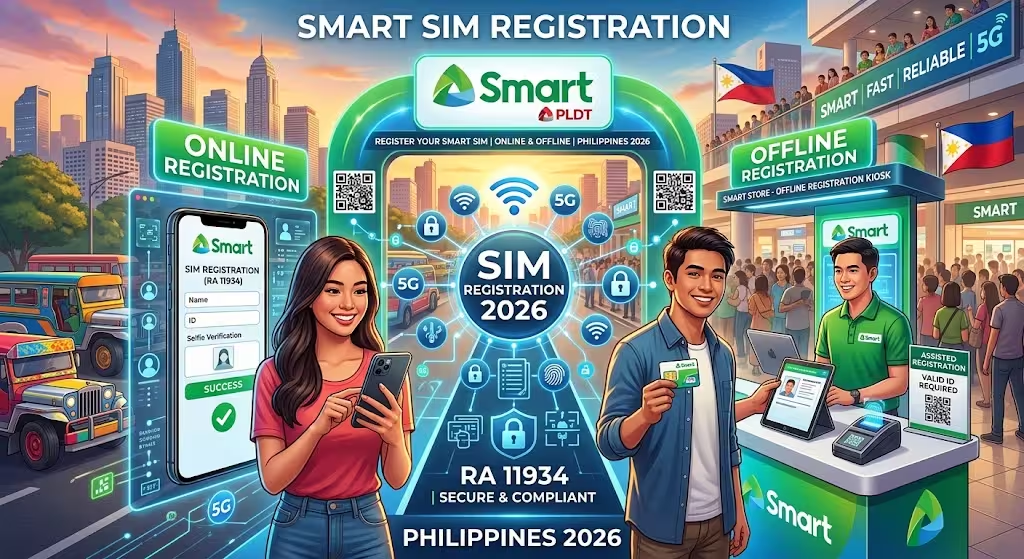
The Philippine government requires Smart SIM users to register their SIM cards under Republic Act No. 11934, also known as the SIM Registration Act. New and existing Smart and TNT users can complete the registration through available online and offline channels, including the Smart registration portal, GigaLife App, QR code, and customer support.
Smart and TNT subscribers may also receive rewards, bonuses, or promotional offers when activating eligible prepaid or postpaid services. Special groups, including minors, persons with disabilities (PWDs), and foreign nationals, must follow additional registration requirements based on their circumstances.
Related – Tnt Sim Registration, GOMO SIM Registration & Dito Sim Registeration
What Is Smart SIM Registration?
Smart SIM registration is the process of providing and verifying a subscriber’s personal information before using a Smart or TNT SIM. The requirement was introduced under the Philippine SIM Registration Act to strengthen the security of mobile communications and help prevent the misuse of SIM cards for scams, fraud, and other unlawful activities.
The Smart SIM registration process is available through both online and offline options, making it easier for Filipino citizens, foreign nationals, and other eligible users to complete the requirements.
Why Smart SIM Registration Is Necessary
SIM registration is intended to improve the security of mobile networks and protect users from fraudulent or suspicious activities. By linking a SIM card to verified subscriber information, authorities and telecommunications providers can take appropriate action against SIMs associated with illegal activities.
A registered Smart SIM allows users to continue accessing services such as calls, text messaging, mobile data, and other Smart and TNT services. The registration requirement also supports a safer and more accountable digital environment in the Philippines.
Enhanced Security
Verified subscriber information helps strengthen mobile network security and reduce SIM-related scams and fraudulent activities.
Responsible Citizenship
SIM registration promotes accountability and supports a more trustworthy digital community.
Global Communication
Registered users can continue using Smart and TNT services, including calls, messaging, and mobile data.
Digital Safety
The registration system helps protect subscribers and reduce the risk of financial fraud and other forms of online abuse.
Smart SIM Registration Requirements
Smart SIM registration requires personal information and supporting documents for identity verification. Users should provide accurate, complete, and valid information during registration. Providing false information or fraudulent documents may result in penalties under applicable laws.
Personal Information Required
Depending on the subscriber category, the registration process may require:
- Full name
- Mobile number and SIM-related details
- Date of birth
- Current residential address
- Valid government-issued identification
- Selfie or live photo for identity verification
Documents Required
The documents required may vary depending on the type of subscriber. In general, users may need to provide:
- Personal information
- A valid government-issued ID
- A selfie or live photo for verification
- Additional documents for minors under 18
- Passport and relevant travel documents for foreign nationals and tourists
Postpaid subscribers may have a simpler registration process because Smart may already have their subscriber information on record. However, they still need to complete the required registration process and verify the information provided.
List of Accepted Valid IDs
Smart SIM registration accepts various government-issued identification documents for identity verification. The ID should generally contain the subscriber’s photograph and must be valid, readable, and suitable for verification.
Examples of IDs that may be accepted include:
- Philippine Identification (PhilID)
- Passport
- Driver’s License
- Voter’s ID
- Police Clearance
- Social Security System (SSS) ID
- Persons with Disability (PWD) ID
- Government Service Insurance System (GSIS) e-Card
- Philippine Health Insurance (PhilHealth) ID
- National Bureau of Investigation (NBI) Clearance
- Professional Regulation Commission (PRC) ID
- Bureau of Internal Revenue (BIR) ID
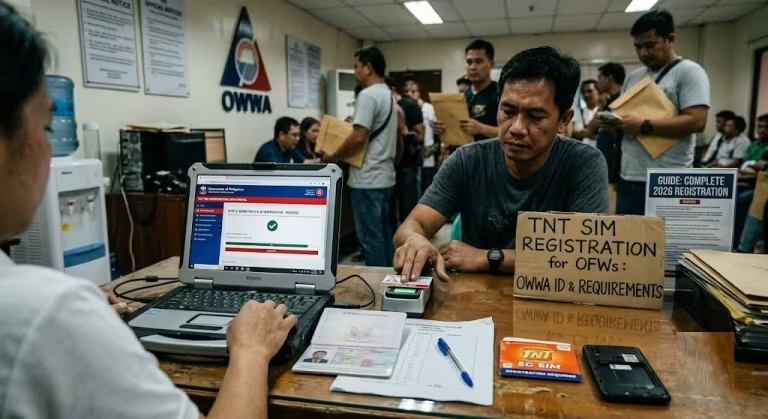
- Overseas Workers Welfare Administration (OWWA) ID
- Unified Multi-Purpose ID (UMID)
- Firearms License
- Other government-issued IDs containing a photograph
Acceptable IDs for Smart SIM Registration
A valid identification document is used to confirm the subscriber’s identity during the Smart SIM registration process. Users should make sure that their ID is authentic, unexpired, clearly readable, and in good condition. An unclear or damaged document may cause problems during verification.
For Filipino citizens, an accepted government-issued ID containing a photograph can generally be used to verify their identity. The ID provides the basic information needed to associate the SIM with the correct subscriber.
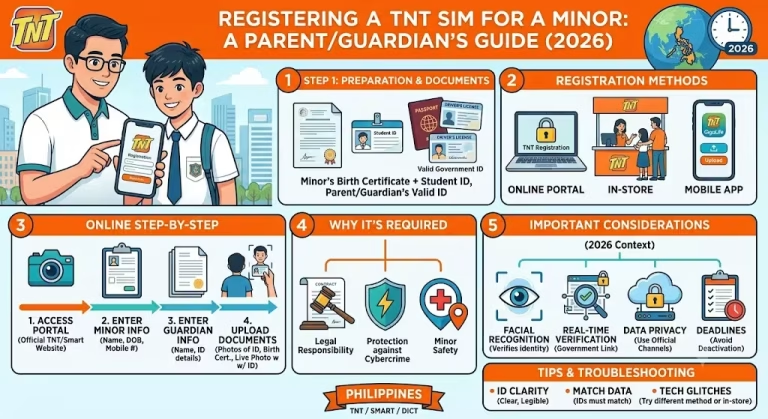
For minors under 18, the SIM registration process requires the involvement of a parent or legal guardian, who must provide the required identification and supporting documents.
Foreign nationals and tourists generally need to provide a valid passport and other required travel or stay-related documents. The additional information helps verify their identity and eligibility to use the SIM in the Philippines.
These identification requirements are intended to strengthen subscriber verification, improve mobile network security, and support safer and more accountable communication.
Smart SIM Activation Process After Registration
Smart provides several online and offline options for completing SIM registration. The registration process is free, and users can choose the method that is most convenient for them.
After completing registration, Smart may take some time to process and activate the SIM. In many cases, activation happens immediately or within a few hours. However, users should allow up to 24 hours for the registration and activation process to be completed.
If the SIM remains inactive after the expected processing period, users can contact Smart customer support for assistance.
How to Check Smart SIM Registration Status
Users can check whether their Smart SIM has been successfully registered through the Smart registration portal or the GigaLife/Smart App.
Check Registration Status Through the Smart SIM Registration Portal
Follow these steps:
- Open the Smart SIM registration portal.
- Log in or access the portal using the mobile number used during registration.
- Select “Verify Registration.”
- The system will display the current registration status of the number.
Check Registration Status Through the GigaLife / Smart App
The GigaLife/Smart App can also be used to access information related to your Smart account and SIM registration.
- Download and open the GigaLife/Smart App.
- Log in using the Smart number associated with your account.
- Check the account dashboard for available registration information, points, and active subscription bundles.
Smart SIM Registration Methods: Online and Offline
Smart offers different ways for users to complete SIM registration. The main online options include the official Smart registration portal, QR code access, and the GigaLife/Smart App.
Smart SIM Registration Through the Online Web Portal
Users can register their Smart or TNT SIM through the official Smart website. The general registration process is as follows:
Open the official Smart SIM registration portal.
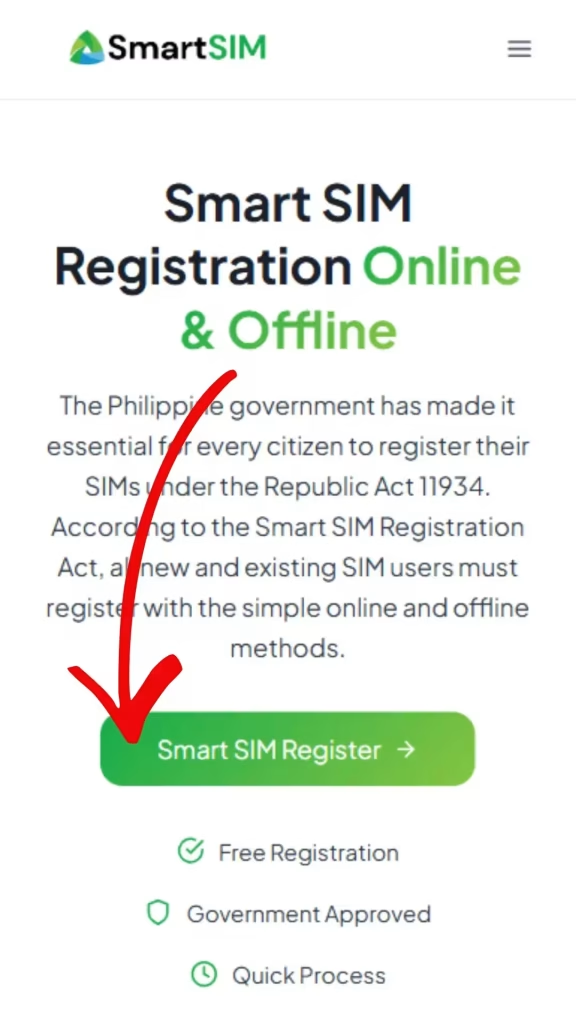
Select “Register Your SIM Now.”
Enter your complete mobile number and accept the required terms and conditions.
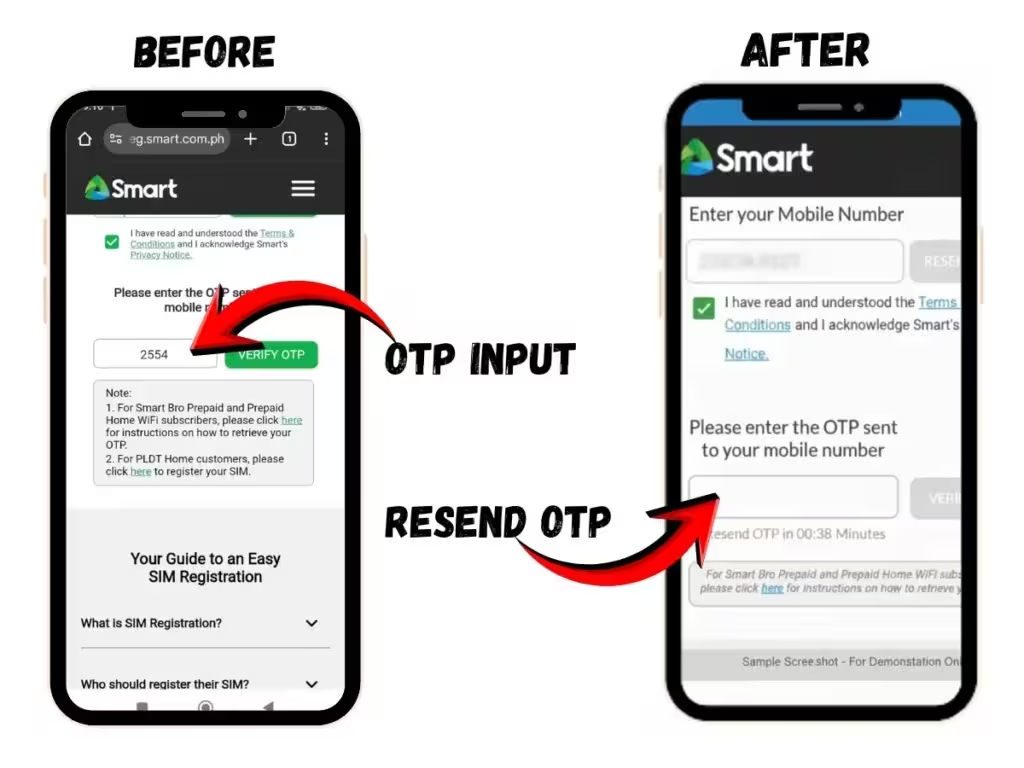
Select “Send OTP” to receive a one-time password on your mobile number.
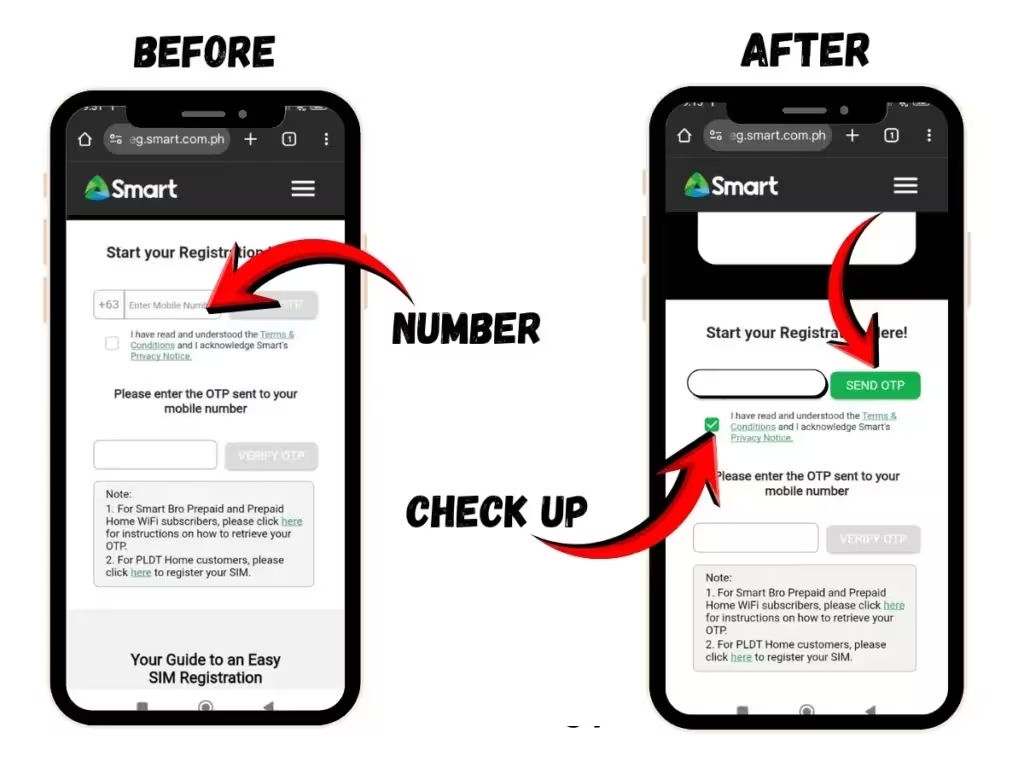
Enter the OTP to verify your mobile number.
After successful verification, provide the requested personal information.
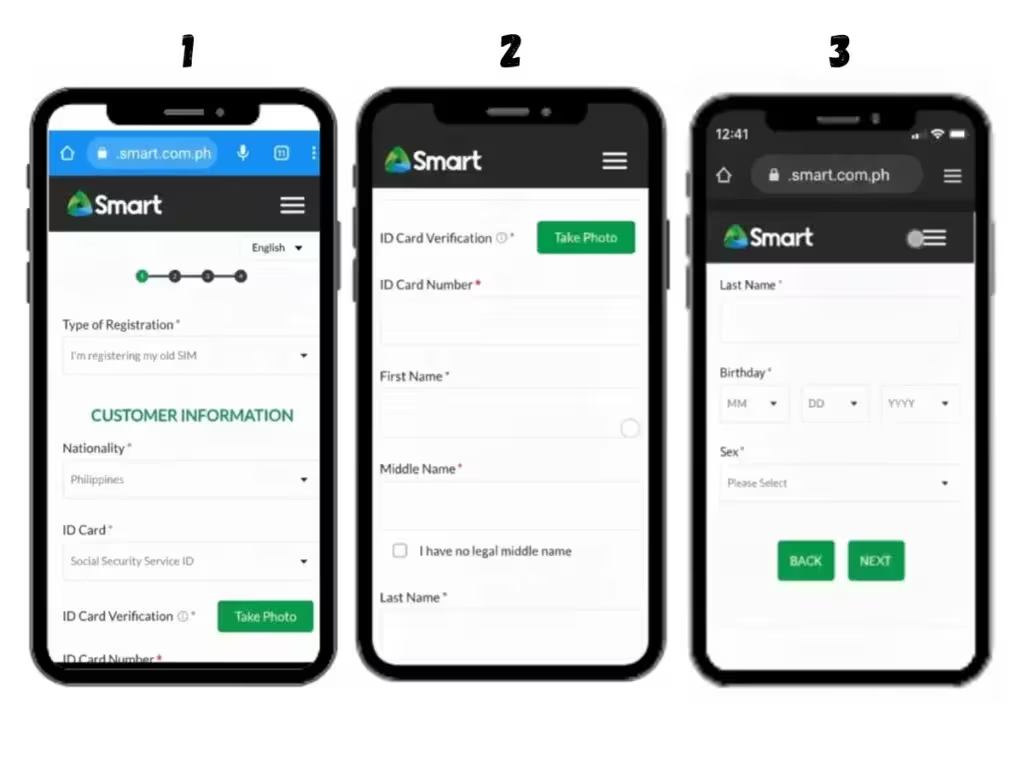
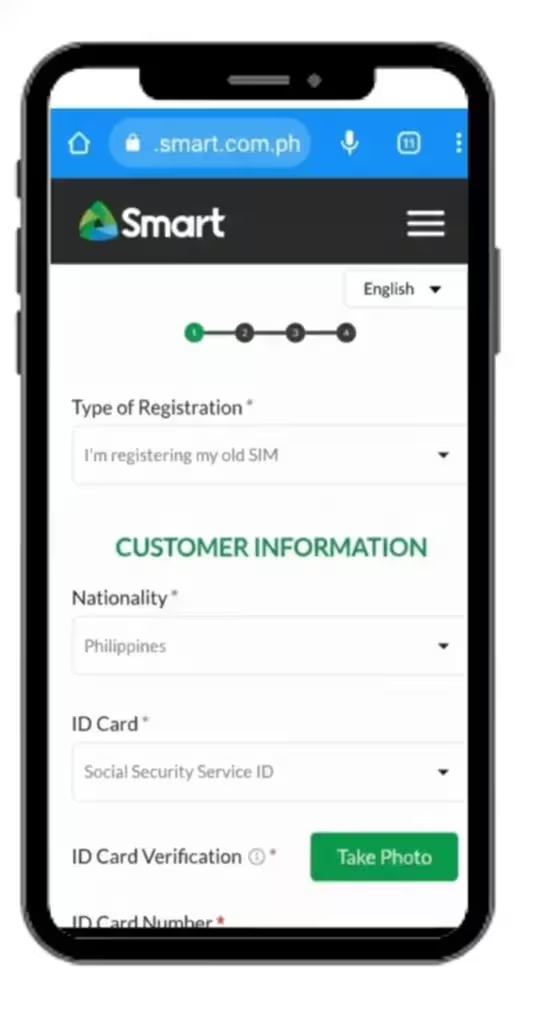
Select your nationality and choose an accepted identification document.
Upload a clear image of your valid ID. Make sure the information on the document is readable and matches the details you provide.
Enter the required customer information, such as your ID number, name, date of birth, and gender.
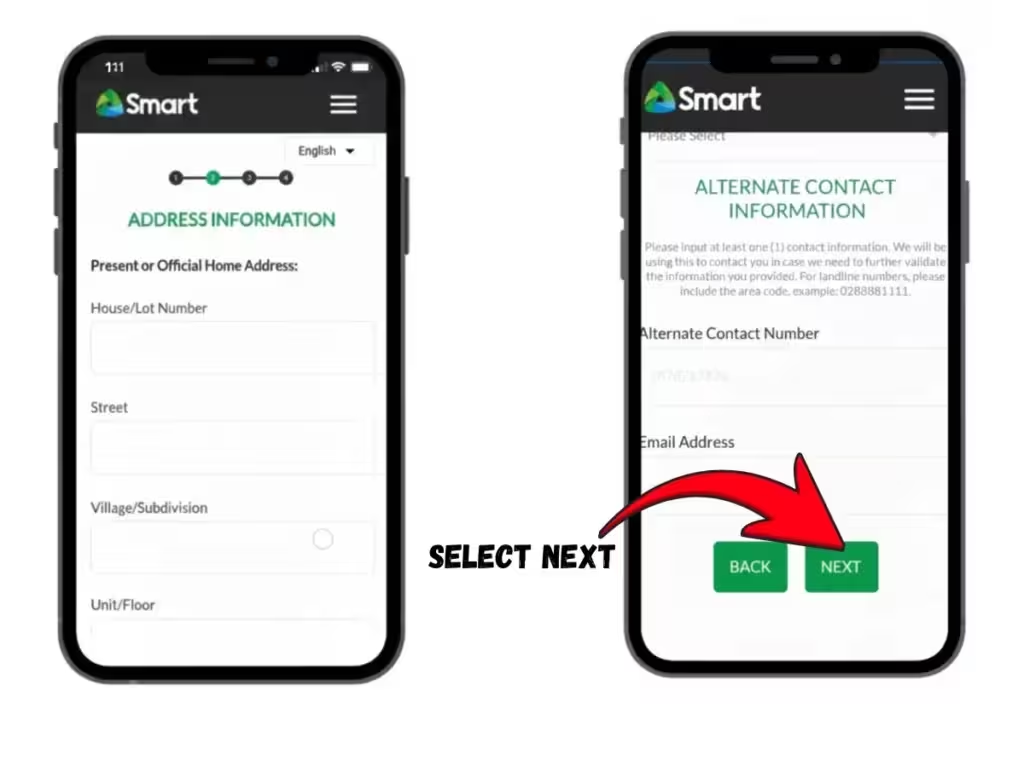
Provide your current address and any other required contact information.
Review all the information carefully to make sure it is accurate and complete.
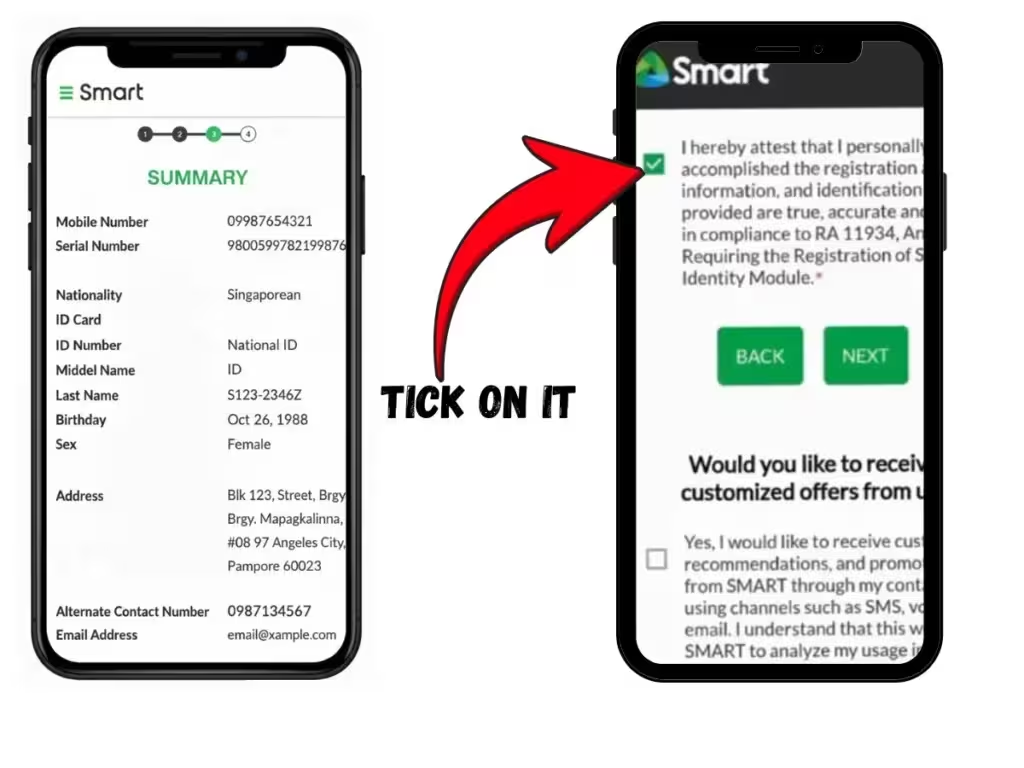
Confirm that the information provided is correct and submit the registration form.
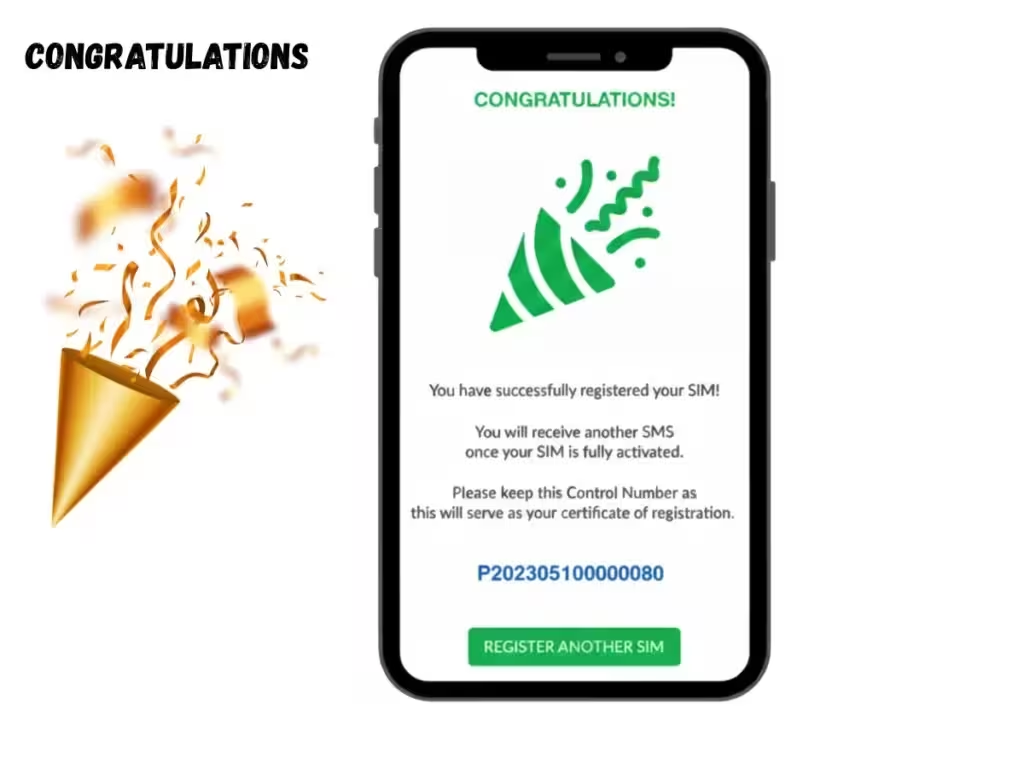
After successful submission, a confirmation screen containing a control number should appear. You may also receive an SMS confirmation when the registration or activation process is completed.
Smart SIM Registration Through QR Code
A QR code can provide quick access to the Smart SIM registration portal. Users can scan the official QR code with their smartphone and proceed directly to the registration page.
After opening the portal through the QR code, follow the same registration steps required on the Smart website, including OTP verification, entering personal information, uploading a valid ID, reviewing the information, and submitting the form.
Smart SIM Registration Through the GigaLife / Smart App
The GigaLife/Smart App provides another convenient option for completing SIM-related services. The registration process generally follows these steps:
- Download and open the official GigaLife/Smart App.
- Enter the Smart mobile number that needs to be registered.
- Request an OTP and enter the verification code sent to the number.
- After OTP verification, provide the required personal and subscriber information.
- Upload a clear image of an accepted valid ID.
- Complete any required identity or face verification.
- Enter the requested contact and address information.
- Review the information before submitting the registration.
- Complete the process and wait for the registration confirmation.
Once registration has been successfully completed, users can continue using the Smart or TNT SIM and access the available services through the app.
Smart SIM Registration Using Call
The call-based registration option is not generally available for TNT prepaid SIM users. Certain postpaid Smart subscribers may have access to registration or account-related services through Smart’s customer support channels.
Postpaid customers can use available Smart support services for SIM-related concerns, package management, and account verification.
New Postpaid SIM Registration
New postpaid subscribers may have a different registration process because Smart collects and verifies their information when the postpaid account is created. After purchasing a postpaid SIM, customers may need to verify their mobile number through the official Smart system. Once the required information has been verified, Smart can complete the registration process.
Existing Postpaid SIM Registration or Renewal
Existing postpaid customers should follow the instructions provided by Smart for any required registration updates or renewal. If Smart sends a specific SMS instruction, customers should follow the message carefully and use only official Smart channels to complete the process.
Smart SIM Registration Through a Smart Store
Visiting a Smart Store is another option for users who need assistance with SIM registration or related concerns. Store representatives can guide customers through the process and explain which documents and information are required.
Users should bring their valid identification documents and other necessary information when visiting a store. In-person registration can be useful for customers who have difficulty completing the online process, although stores may become busy during peak hours.
Smart SIM Registration Number / Helpline
Users who experience problems with SIM registration can contact Smart through its official customer support channels. The available services and registration options may differ between prepaid, TNT, and postpaid subscribers.
Before calling or sending a message, users should check the official Smart website or customer support channels for the latest contact information and instructions.
Smart SIM Registration Rewards & Freebies
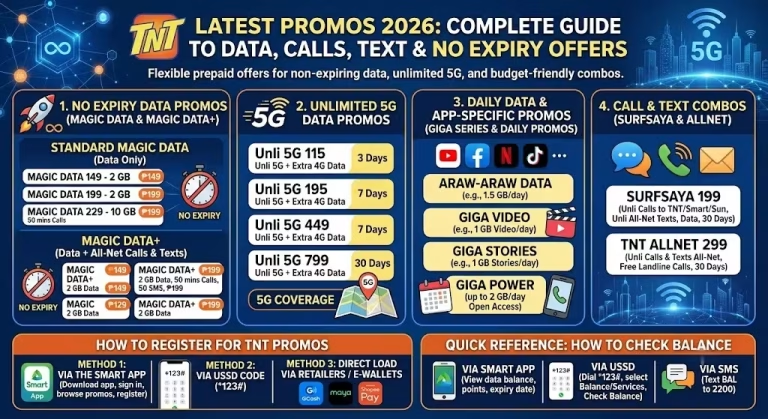
Smart and TNT may provide promotional rewards or freebies to eligible subscribers after SIM registration or activation. The available offers can vary depending on the SIM type, subscription, and current Smart promotions.
Rewards for Prepaid Users
Eligible prepaid subscribers may receive promotional benefits such as:
- Free calls or text messages
- Promotional mobile data
- Other prepaid offers, depending on the current promotion
Rewards for Postpaid Users
Eligible postpaid subscribers may receive benefits such as:
- Promotional calls and mobile data
- Monthly subscription-related offers
- Other benefits included with their postpaid plan
Rewards for Family Plans
Family plans may include shared benefits that allow eligible members to use services such as:
- Calls
- Text messages
- Mobile data
The specific benefits depend on the selected family plan and current Smart offers.
Rewards for Smart Home WiFi
Eligible Smart Home WiFi customers may receive promotional benefits such as:
- Internet data offers
- Promotional or discounted rates
- Other benefits associated with their selected plan
How to Claim Freebies After Registration
SIM registration itself is free. Any promotional freebies are subject to the terms, eligibility requirements, and availability of the specific Smart offer.
If a reward is automatically linked to an eligible registration or activation, it may appear in the subscriber’s account after the process has been completed. Users should check the official Smart website or GigaLife/Smart App for current promotions and instructions on claiming available offers.
Tips for Successful Smart SIM Registration
Following a few basic steps can help prevent common registration problems:
- Use only the official Smart SIM registration portal or official Smart application.
- Enter your personal information accurately and check all details before submitting the form.
- Upload a clear, valid, and unexpired identification document.
- Take a clear selfie or live photo in a well-lit area if identity verification requires one.
- Make sure your internet connection is stable while completing the registration.
- Keep your mobile phone available so you can receive and enter the OTP promptly.
- Review the complete registration form carefully before submitting it.
Common Problems & Errors: Troubleshooting Guide
Technical problems can sometimes occur during Smart SIM registration. Issues may be related to network connectivity, website traffic, device settings, or incorrect information.
OTP Not Received
If the OTP does not arrive, check that your mobile number and network connection are working properly. Temporary delays can occur because of network problems or heavy traffic. Wait briefly and use the Resend OTP option if it is available.
ID Not Clear or ID Error
Upload a clear image of your valid ID. Make sure the photograph, name, ID number, and other relevant details are readable and match the information entered in the registration form. Avoid using blurry, cropped, damaged, or expired identification documents.
Camera Not Working or Selfie Not Accepted
If the camera does not work during registration, check whether your browser or app has permission to access the device camera. Make sure the camera is functioning properly and take the selfie in a well-lit environment with your face clearly visible.
Registration Portal Not Loading
The registration portal may take longer to load because of high website traffic or an unstable internet connection. Check your connection, refresh the page, or try again later. Using an updated browser can also help prevent compatibility problems.
Smart SIM Already Registered
If the system reports that the SIM is already registered, the number may already be associated with an existing registration. Do not attempt to provide false information or create a duplicate registration. Contact Smart’s official customer support for assistance in checking or correcting the registration details.
App Crashes
If the GigaLife/Smart App closes unexpectedly or stops responding, check that you are using the latest version of the app and that your device has a stable internet connection. Restart the app or device and try again. If the problem continues, contact Smart through its official support channels.an avoid this by using the latest version of the app and maintaining the device storage. Additionally, use the app during the low traffic hours to avoid app crashes.
Need Help? Smart SIM Helpline & Support Details
If you need assistance with Smart or TNT SIM registration, you can contact Smart through its official customer support channels.
Smart Hotline
- *888 — For calls from Smart and TNT mobile numbers
- (02) 8888-1111 — For calls from landline numbers
Official Smart SIM Registration Portal
For SIM registration, use the official Smart registration website: https://simreg.smart.com.ph
Email Support
For SIM registration-related concerns, you can contact Smart through:
When contacting customer support, provide accurate details about your issue and avoid sharing sensitive information such as passwords or OTPs with anyone.
FAQs – Frequently Asked Questions
Smart SIM Registration Online Resources
If you need additional assistance with Smart SIM registration, use the official Smart resources for the most accurate and up-to-date information. You can check the frequently asked questions for common registration concerns or contact Smart customer support directly if you need help with a specific issue.
Always use official Smart websites, applications, and support channels when submitting personal information or requesting assistance with your SIM registration.