How to Activate DITO eSIM: Complete Setup Guide for Android and iPhone
Looking for an easy way to activate your DITO eSIM? Whether you’ve just purchased a new DITO Prepaid eSIM or received your activation QR code by email, the setup process only takes a few minutes on a compatible smartphone.
This guide walks you through every step—from purchasing your DITO eSIM and completing SIM registration to activating it on Android or iPhone. You’ll also learn about device compatibility, troubleshooting tips, and common mistakes to avoid.
Related – DITO Data Promos
Related – How to Register a TNT SIM for Minors & Dito Sim Registeration
Quick Answer: How Do You Activate a DITO eSIM?
To activate a DITO eSIM:
- Purchase a DITO Prepaid eSIM online.
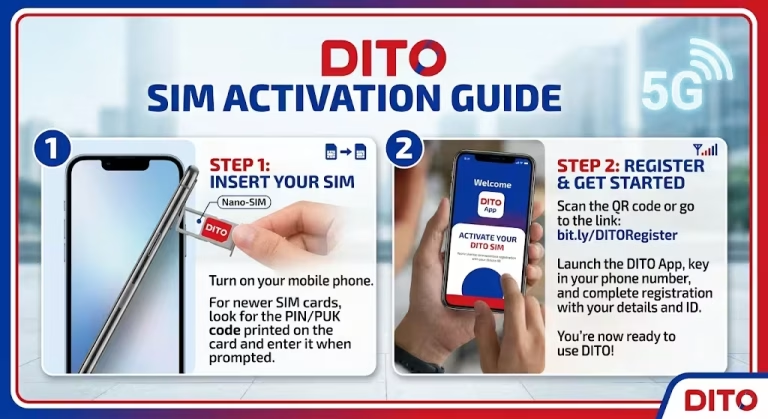
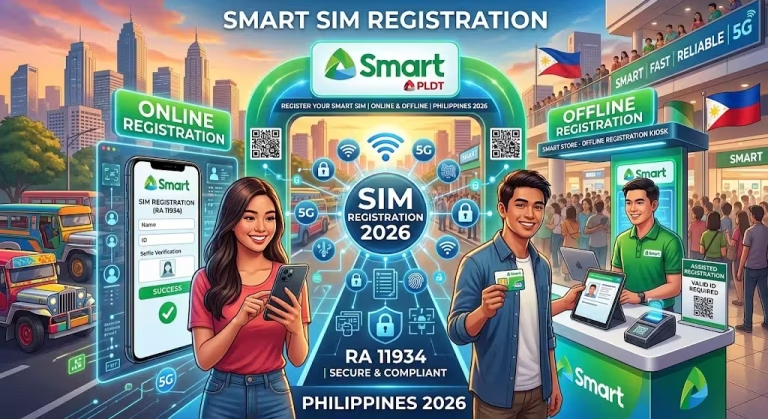
- Complete your mandatory SIM registration.
- Check your email for the activation QR code.
- Open your phone’s eSIM settings.
- Scan the QR code or enter the activation details manually.
- Wait for the eSIM profile to download.
- Restart your device and connect to the DITO network.
Once activated, you can begin using your DITO mobile number and included prepaid benefits.
What Is a DITO eSIM?
A DITO eSIM is a digital SIM that lets you activate mobile service without inserting a physical SIM card.
Instead of receiving a plastic SIM, you’ll receive an activation QR code that downloads your mobile profile directly onto your compatible smartphone.
Benefits include:
- No physical SIM card required
- Faster online activation
- Easy setup for compatible devices
- Convenient for dual-SIM smartphones
- Less risk of losing or damaging a SIM card
What Comes with a DITO Prepaid eSIM?
A new DITO Prepaid eSIM typically includes:
| Feature | Included |
|---|---|
| Price | ₱99 |
| Mobile Data | 9GB |
| Unlimited Texts | All networks |
| Unlimited Calls | DITO-to-DITO |
| Minutes to Other Networks | 150 minutes |
Promotional inclusions may change over time, so check the latest offer before purchasing.
Before You Activate Your DITO eSIM
Before starting the setup process, make sure you have:
- A smartphone that supports eSIM technology
- A stable internet connection
- Your activation email
- The QR code provided by DITO
- A completed SIM registration
- Your activation details in case manual setup is required
Preparing these items beforehand makes activation much smoother.
Step 1: Check Device Compatibility
Not every smartphone supports eSIM.
Most recent flagship Android phones and newer iPhone models include eSIM functionality, but availability may vary depending on the model and region.
If you’re unsure, check your device specifications or the manufacturer’s support page before purchasing a DITO eSIM.
Step 2: Buy Your DITO eSIM Online
Purchase your DITO Prepaid eSIM through the official DITO eShop or other official DITO online channels.
After completing your purchase, you’ll receive instructions for SIM registration and activation.
Step 3: Complete SIM Registration
Before your eSIM can be activated, you must complete the mandatory subscriber registration.
Prepare:
- Valid government-issued ID
- Personal information
- Any additional verification requested during registration
Once approved, DITO will process your eSIM activation details.
Step 4: Check Your Email
After registration is completed, DITO will send:
- Your unique QR code
- Activation instructions
- Manual activation information (including the SM-DP+ Address and Activation Code, if supported)
Keep this email safe, as you’ll need it during setup.
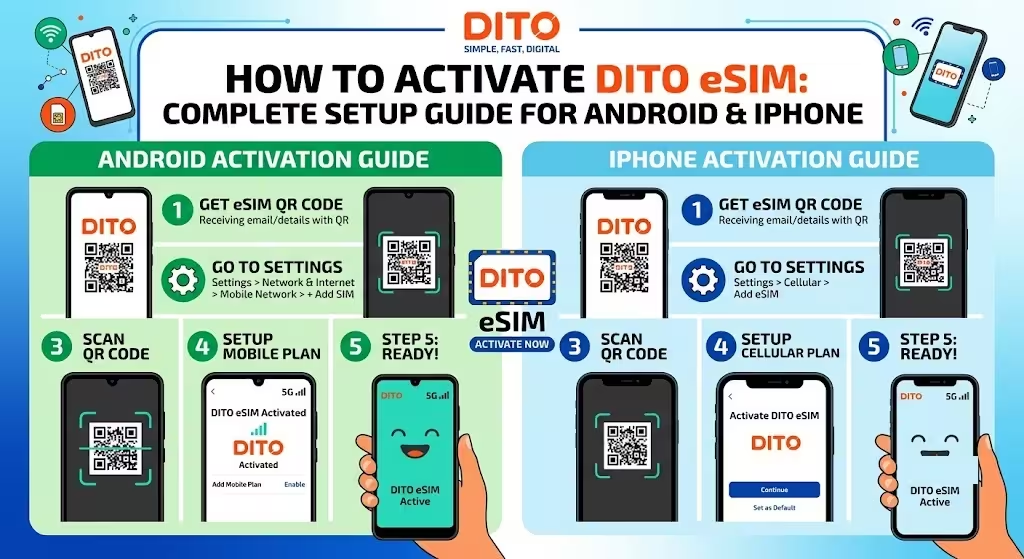
Step 5: Activate DITO eSIM on Android
Although menu names vary by manufacturer, the general steps are similar.
- Open Settings.
- Tap Connections or Network & Internet.
- Select SIM Manager or SIM Card Manager.
- Tap Add eSIM or Add Mobile Plan.
- Scan your DITO QR code.
- Wait for the profile to download.
- Restart your phone if prompted.
Your DITO eSIM should connect automatically once activation is complete.
Step 6: Activate DITO eSIM on iPhone
On iPhone:
- Open Settings.
- Tap Cellular or Mobile Service.
- Select Add Cellular Plan.
- Scan your DITO QR code.
- Follow the on-screen instructions.
- Wait for the installation to complete.
- Restart your device if necessary.
You can then choose whether to use DITO as your primary or secondary mobile line if your iPhone supports dual SIM.
Manual eSIM Activation
If the QR code doesn’t scan successfully:
- Choose Enter Details Manually.
- Enter the SM-DP+ Address.
- Enter the Activation Code exactly as provided.
- Complete the installation.
Manual activation is useful if your camera cannot scan the QR code or you’re setting up the eSIM on another device.
Troubleshooting Activation Issues
If your DITO eSIM isn’t working:
QR Code Won’t Scan
- Increase screen brightness.
- Clean the camera lens.
- Display the QR code on another screen if needed.
- Verify that the QR code hasn’t expired.
Activation Failed
- Check your internet connection.
- Confirm your SIM registration has been completed successfully.
- Restart your device and try again.
No Network Signal
- Enable the DITO eSIM in your SIM settings.
- Turn Airplane Mode on and off.
- Restart your device.
- Check whether your phone supports the required DITO network bands.
Tips for a Smooth Activation
For the best experience:
- Purchase only through official DITO channels.
- Complete SIM registration before attempting activation.
- Save your activation email.
- Keep your QR code private.
- Ensure your phone software is up to date before installation.
Common Mistakes to Avoid
Many activation problems happen because users:
- Purchase an eSIM for an unsupported phone.
- Skip SIM registration.
- Delete the activation email too early.
- Attempt to scan an expired or previously used QR code.
- Disconnect from Wi-Fi during installation.
Avoiding these issues can make setup much easier.
Frequently Asked Questions
Final Thoughts
Activating a DITO eSIM is a quick process when you follow the correct sequence: purchase your eSIM, complete SIM registration, scan the activation QR code, and finish the setup on your compatible device. Whether you’re using Android or iPhone, keeping your activation details handy and ensuring your device supports eSIM technology can help you avoid common issues and get connected faster.